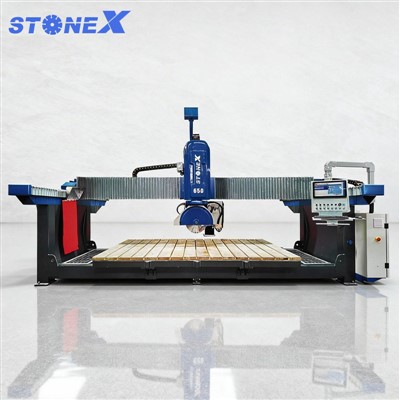


Hey there! As a supplier of Stone Cutting Bridge Saws, I'm stoked to share some tips on how to set the cutting path on these bad boys. Whether you're a seasoned pro or just starting out in the stone-cutting game, getting the cutting path right is crucial for achieving precise and efficient cuts. So, let's dive in!
Understanding the Basics
First things first, you need to have a good grasp of the Stone Cutting Bridge Saw you're working with. These machines are designed to cut through various types of stone, including marble, granite, and quartz. They typically consist of a bridge structure that supports the cutting head, which can move in multiple directions to make different cuts.
Before you start setting the cutting path, make sure you've got all the necessary tools and materials on hand. You'll need a measuring tape, a marker, and a computer with the appropriate software for programming the cutting path. Some Stone Cutting Bridge Saws come with built-in software, while others require you to use third-party programs.

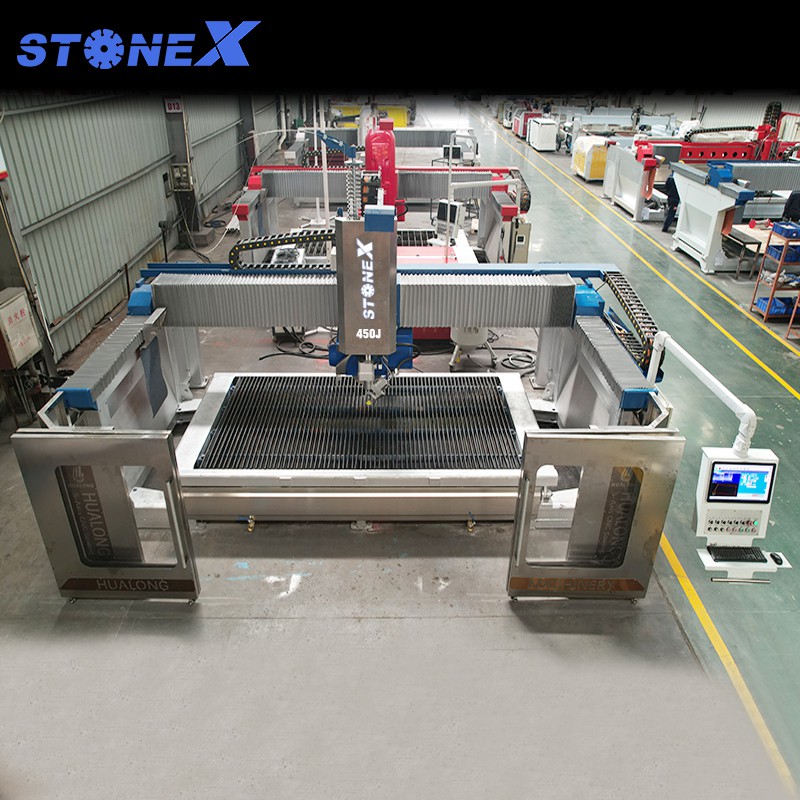
Step 1: Measure the Stone
The first step in setting the cutting path is to measure the stone you're going to cut. Use a measuring tape to determine the length, width, and thickness of the stone. Make sure to measure accurately, as even a small error can affect the final cut.
Once you've measured the stone, mark the cutting lines on the surface using a marker. This will give you a visual guide for setting the cutting path on the machine.
Step 2: Set the Cutting Parameters
Next, you need to set the cutting parameters on the Stone Cutting Bridge Saw. This includes the cutting speed, feed rate, and depth of cut. These parameters will depend on the type of stone you're cutting, as well as the thickness and hardness of the material.
Most Stone Cutting Bridge Saws come with a control panel that allows you to adjust these parameters. Refer to the machine's manual for specific instructions on how to set the cutting parameters.
Step 3: Program the Cutting Path
Now it's time to program the cutting path on the machine. This is where the computer software comes in handy. If your Stone Cutting Bridge Saw has built-in software, you can use it to create a cutting path directly on the machine. If not, you'll need to use a third-party program to design the cutting path and then transfer it to the machine.
When programming the cutting path, make sure to take into account the shape and size of the stone, as well as the desired cut. You can use the software to create straight cuts, curved cuts, and even complex shapes.
Step 4: Test the Cutting Path
Before you start cutting the stone, it's a good idea to test the cutting path on a scrap piece of material. This will allow you to make any necessary adjustments to the cutting parameters and ensure that the cutting path is accurate.
To test the cutting path, place the scrap piece of material on the machine's table and run the program. Watch the machine as it cuts the material and make sure that the cutting path is following the marked lines on the surface.
Step 5: Make the Cut
Once you're satisfied with the test cut, it's time to make the actual cut on the stone. Place the stone on the machine's table and align it with the marked cutting lines. Make sure the stone is secure and won't move during the cutting process.
Start the machine and let it do its thing. The cutting head will move along the programmed cutting path, making the cut through the stone. Depending on the size and complexity of the cut, this may take a few minutes or several hours.
Step 6: Clean Up
After the cut is complete, turn off the machine and remove the stone from the table. Use a brush or a vacuum cleaner to clean up any debris or dust that may have accumulated during the cutting process.
Inspect the cut to make sure it's accurate and meets your specifications. If there are any rough edges or imperfections, you can use a grinder or a sanding block to smooth them out.
Tips and Tricks
- Use the right blade: The type of blade you use will depend on the type of stone you're cutting. Make sure to choose a blade that's specifically designed for the material you're working with.
- Keep the blade sharp: A dull blade can cause the cutting process to be slower and less accurate. Make sure to sharpen the blade regularly to ensure optimal performance.
- Use coolant: Coolant helps to keep the blade cool and prevent it from overheating. It also helps to reduce the amount of dust and debris generated during the cutting process.
- Take your time: Cutting stone is a precise process that requires patience and attention to detail. Don't rush the process and take the time to make sure everything is set up correctly.
Conclusion
Setting the cutting path on a Stone Cutting Bridge Saw may seem like a daunting task, but with the right tools and techniques, it can be a relatively straightforward process. By following the steps outlined in this blog post, you'll be able to achieve precise and efficient cuts on your stone projects.
If you're in the market for a Stone Cutting Bridge Saw, be sure to check out our selection of 5 Axis CNC Sawjet, 5 Axis CNC Stone Bridge Cutting Machine, and 5 Axis Stone Bridge Saw. We offer high-quality machines at competitive prices, and our team of experts is always available to provide support and guidance.
If you have any questions or would like to learn more about our products, please don't hesitate to contact us. We'd love to hear from you and help you find the perfect Stone Cutting Bridge Saw for your needs.
References
- Stone Cutting Bridge Saw User Manual
- Stone Cutting Technology Handbook